To expand visibility of your live job vacancies you can embed them on your school's website. This allows candidates to view jobs that are open and posted to Tes Jobs (where they can apply).
Anytime new jobs are posted to Tes Jobs, the jobs list on your website will automatically update, however, they cannot be edited directly from your website.
To access this feature, you must have permission to post and edit job vacancies.
On this page
Get an embed code for your website
1. To get started expand your main menu using the hamburger icon , then go to Connect > Create a vacancy.
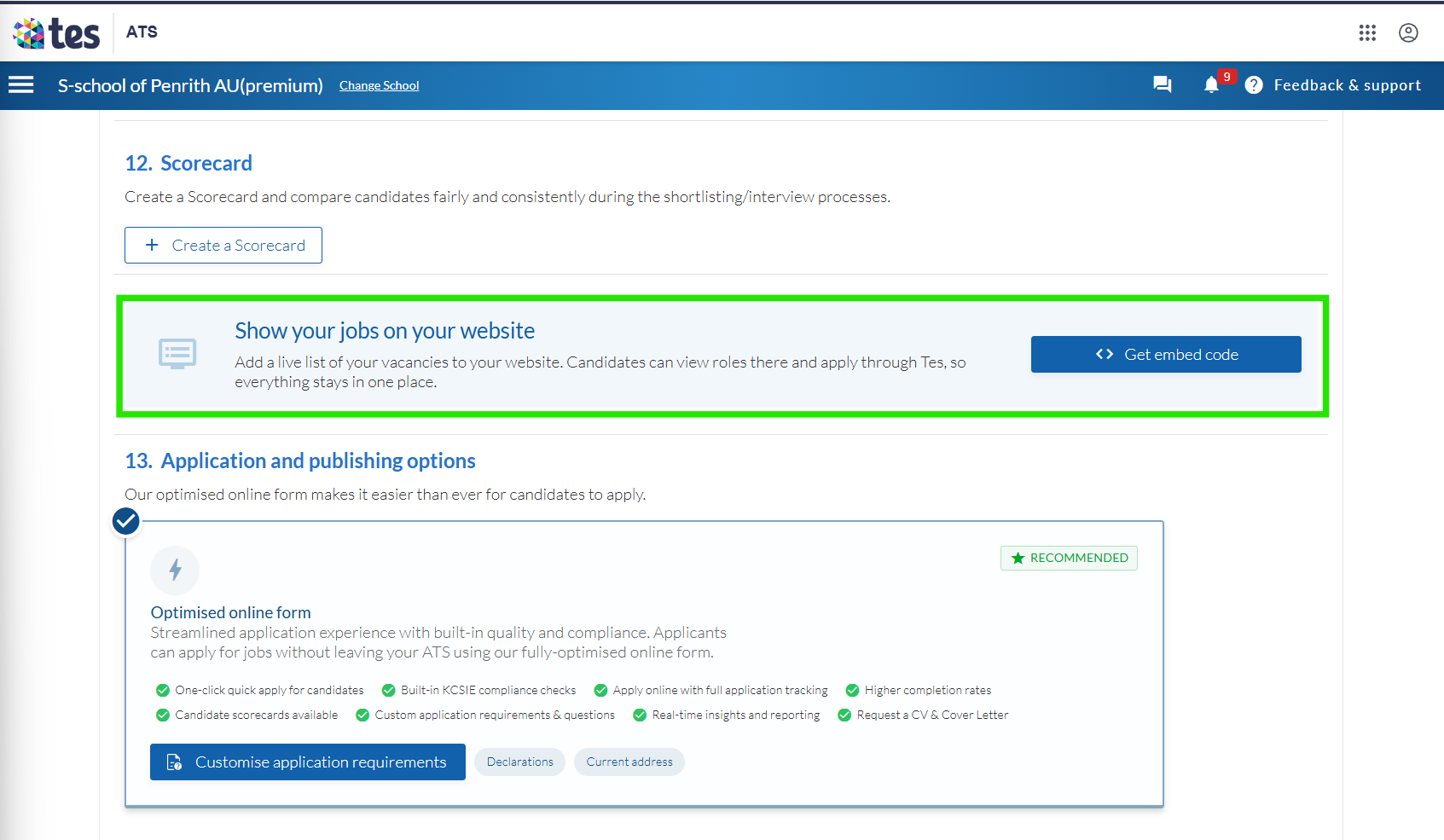
2. Under Application and publishing options, you’ll see the option to Show jobs on your website.
3. To generate an iframe for your website, select Get embed code.
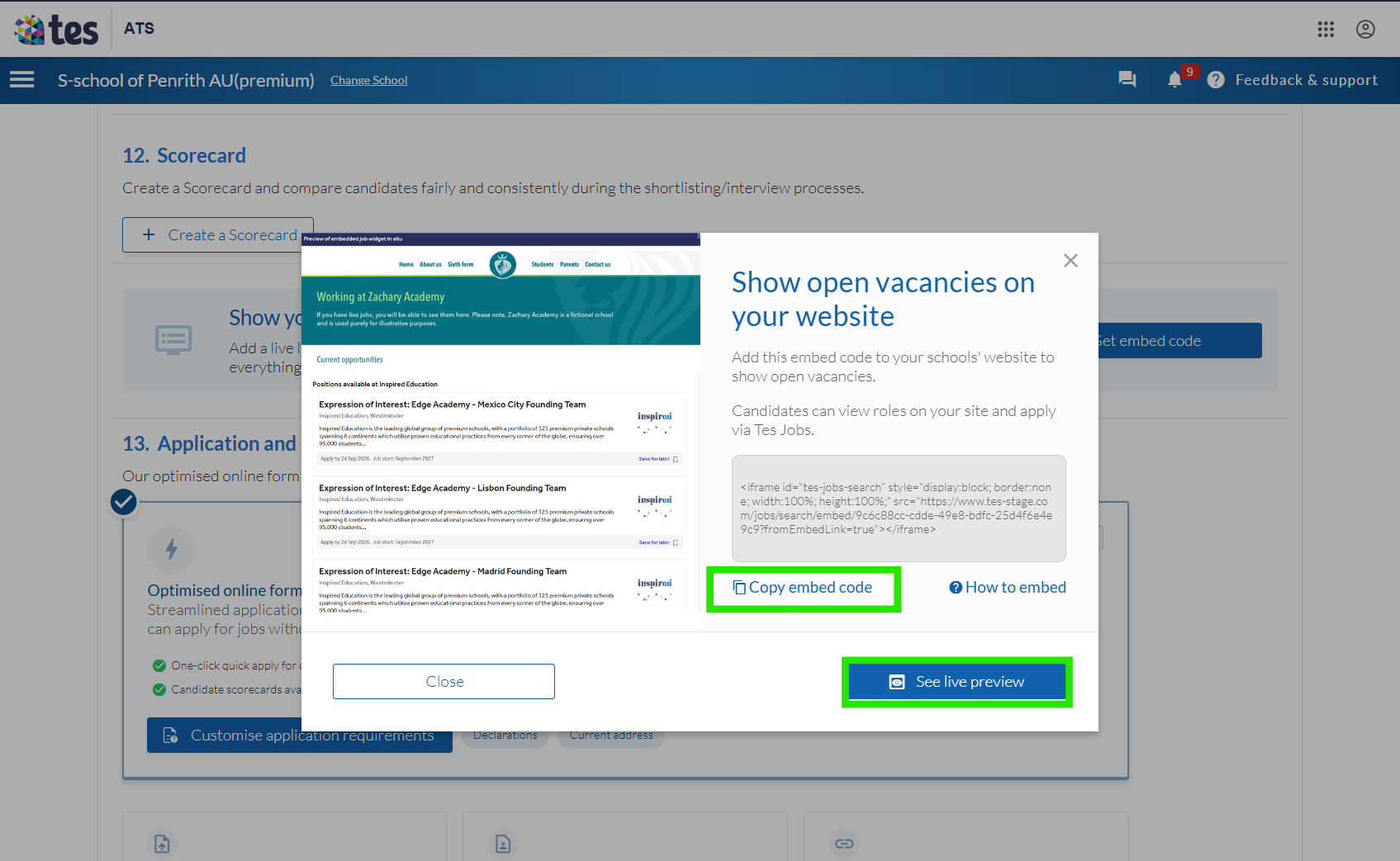
4. If you already have live jobs listed on Tes Jobs and you’re ready to embed this on your webpage, select Copy embed code.
Give this HTML code to a web developer or someone who manages content on your website, so they can embed and publish it.
5. If you want to see what the jobs list looks like before embedding it on your website, select See live preview.
Was this article helpful?
That’s Great!
Thank you for your feedback
Sorry! We couldn't be helpful
Thank you for your feedback
Feedback sent
We appreciate your effort and will try to fix the article