This guide will show you how to use Targeted Advertising.
Available to Enhanced and Premium subscribers
You can boost your job adverts on Tes Jobs by turning on Targeted Advertising. Targeted Advertising matches your vacancy with the most relevant candidates, enabling your advert to appear on their feed when they search for vacancies on Tes Jobs.
Targeted advertising is unlimited and is no extra cost.
How to turn on targeted advertising
- From your ATS landing page, click Connect.
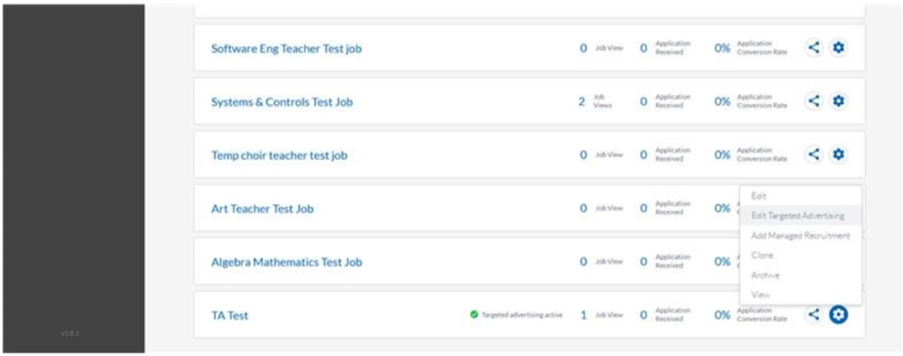
- From your list of open vacancies, press the gear settings icon on the vacancy you would like to support.
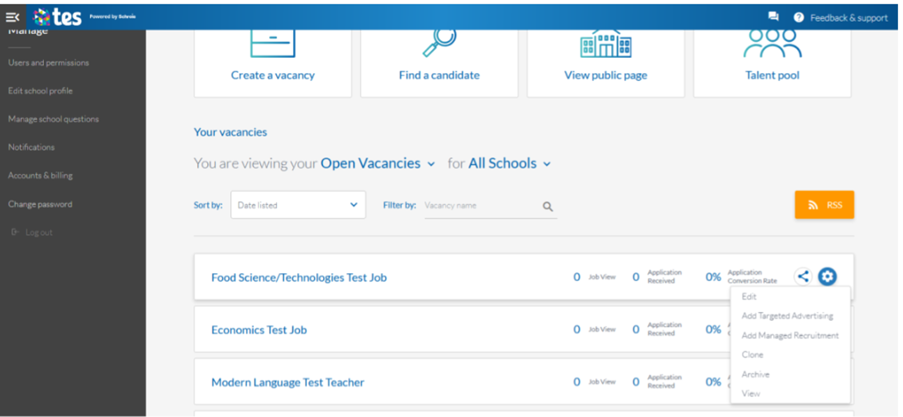
- · Select ‘Add Targeted Advertising’.
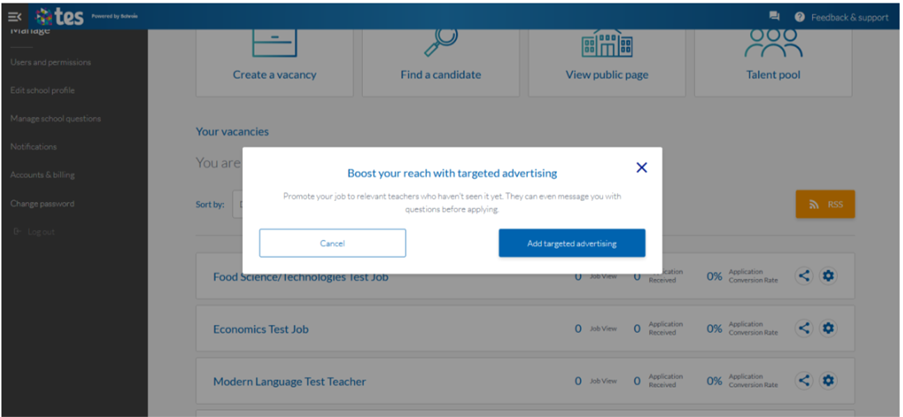
- · In the popup window, click ‘Add targeted advertising’.
- Write a short summary of your job to enable candidates to quickly determine if your job matches their expectations.
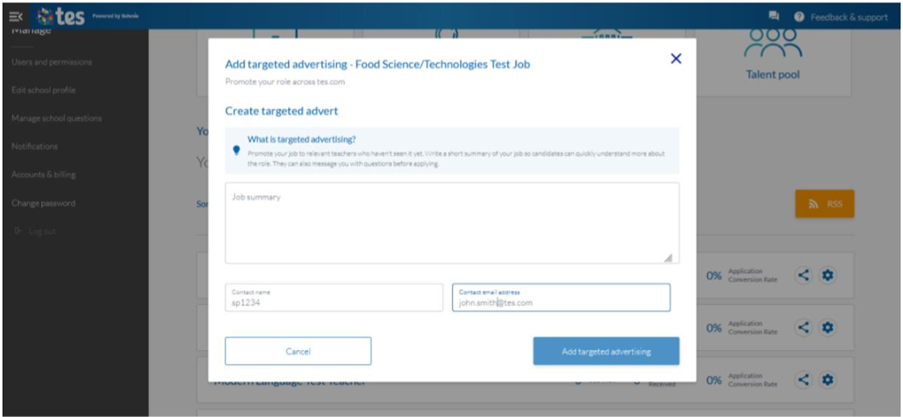
- Enter your name and email address
- Press ‘Add targeted advertising’
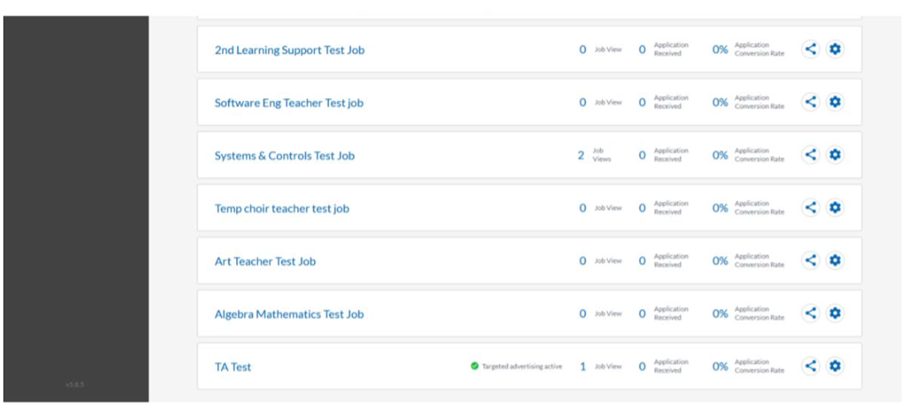
- Vacancies with targeted advertising will have a green tick.
How to turn off your targeted advertising
- From your ATS landing page, click Connect.
- From your list of open vacancies, press the gear settings icon on the vacancy you would like to support.
- Select ‘Edit Targeted Advertising’.
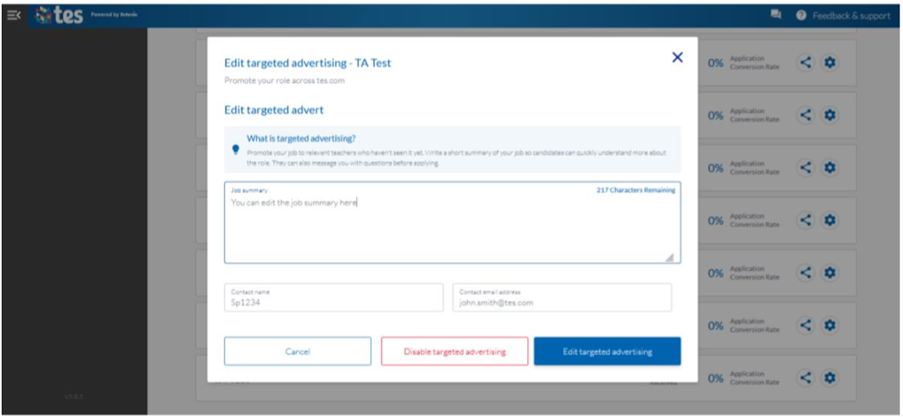
- · In the pop-up window, you can redraft your job summary or edit your contact details.
- · Press ‘Disable targeted advertising’.
Help and support
Can’t find the answer you’re looking for? We’re here to support you every step of the way.
Help Centre | Contact us |
Our knowledge base has everything you need to know about using Staff Management, including videos, help guides and more.
| Contact us anytime from Mon to Fri, 8:00am-17:00 (UK time).
Call: +44 020 3194 3050 |
Was this article helpful?
That’s Great!
Thank you for your feedback
Sorry! We couldn't be helpful
Thank you for your feedback
Feedback sent
We appreciate your effort and will try to fix the article