In this guide we’ll show you how to access your job performance analytics from inside an existing job.
Job performance analytics can give you a quick snapshot of how candidates are engaging with your online listing via Tes Jobs.
Available to all Staff Management subscribers.
How to use job performance analytics data
After logging in to your Tes Recruitment Application Tracking System:
- Select Connect to view all vacancies.
- Search or Filter to find the job to Select the job to open it.
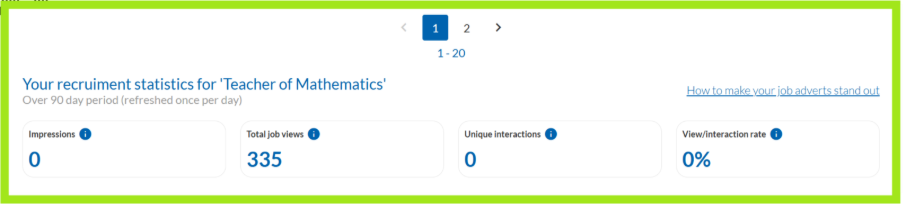
- Scroll down to the bottom of the page to find Your recruitment statistics.
You’ll see a summary of all online leads and engagement with your job vacancy over the last 90 days.
If reach is limited, it can indicate that your job lacks relevancy for your target audience, or that additional outreach may be necessary to attract quality candidates.
What is the job analytics performance panel?
Your job analytics panel summarises online leads and engagement with a particular job, including:
- Impressions: the number of times your job listing is served or displayed in Tes Jobs search results (visibility/reach).
- Views: the number of people who view your job vacancy page.
- Unique interactions: the number of people who engage with or act on your job listing. For example, click-throughs to apply or view contact details.
- View/interaction rate: the percentage of views that result in an interaction.
Was this article helpful?
That’s Great!
Thank you for your feedback
Sorry! We couldn't be helpful
Thank you for your feedback
Feedback sent
We appreciate your effort and will try to fix the article