Our Recruitment Applicant Tracking System (ATS) makes evidencing your compliance and tracking actions for an applicant quick and easy. The audit trail tells you:
- What action has been taken
- When the action was taken
- Which team member took the action
View the audit trail to see all application activity and actions
When you’re ready to view the audit or activity trail in a job application:
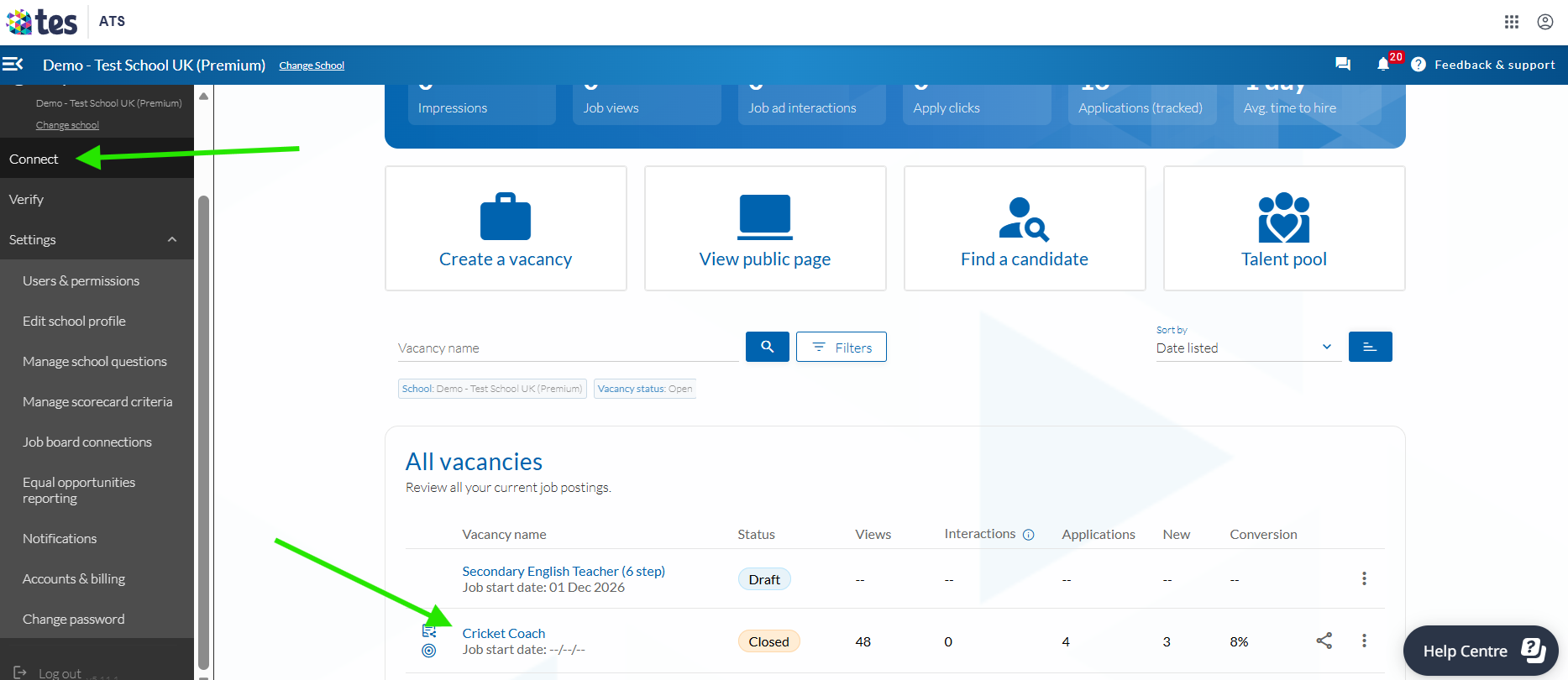
- Expand your main menu using the hamburger icon, then go to Connect.
- Search for and select the vacancy you want to open to see a list of applicants.
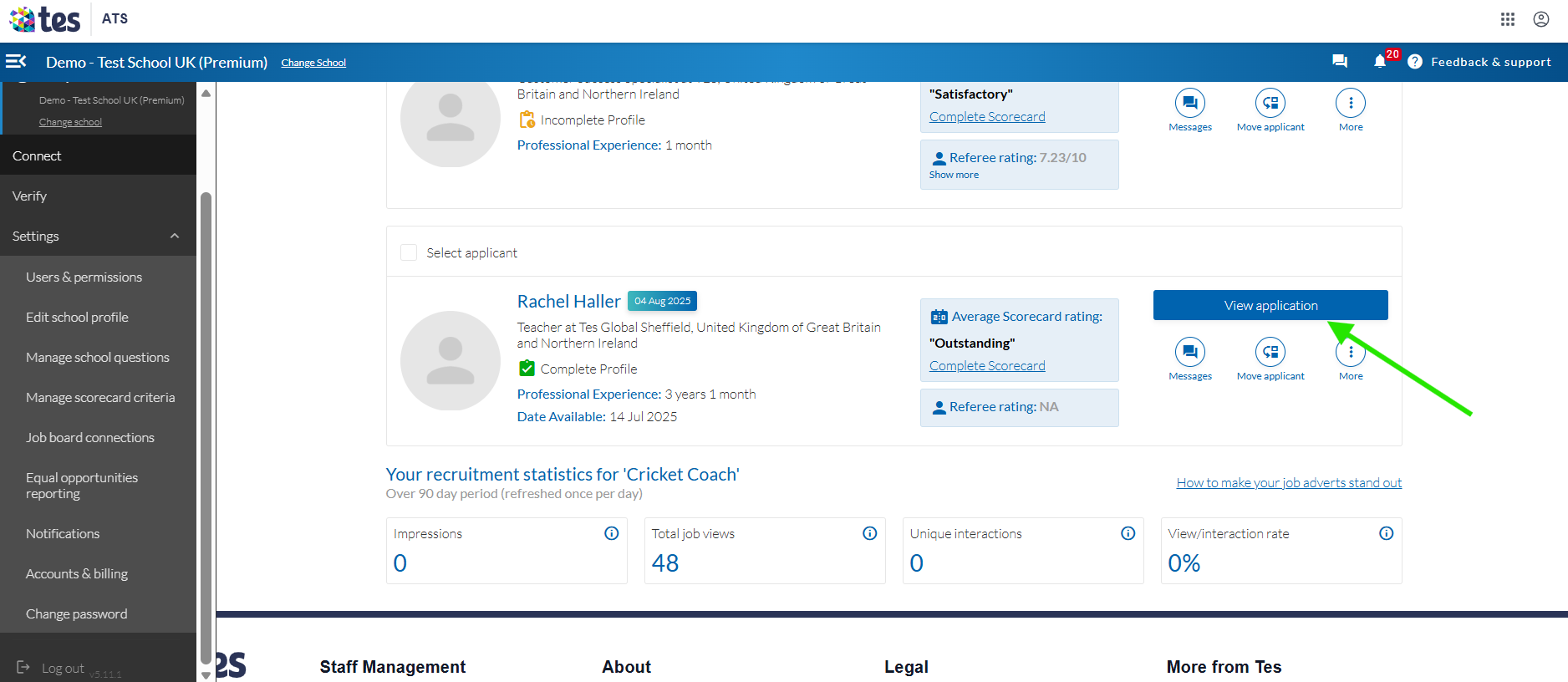
- To open an application from within the vacancy, select View application.
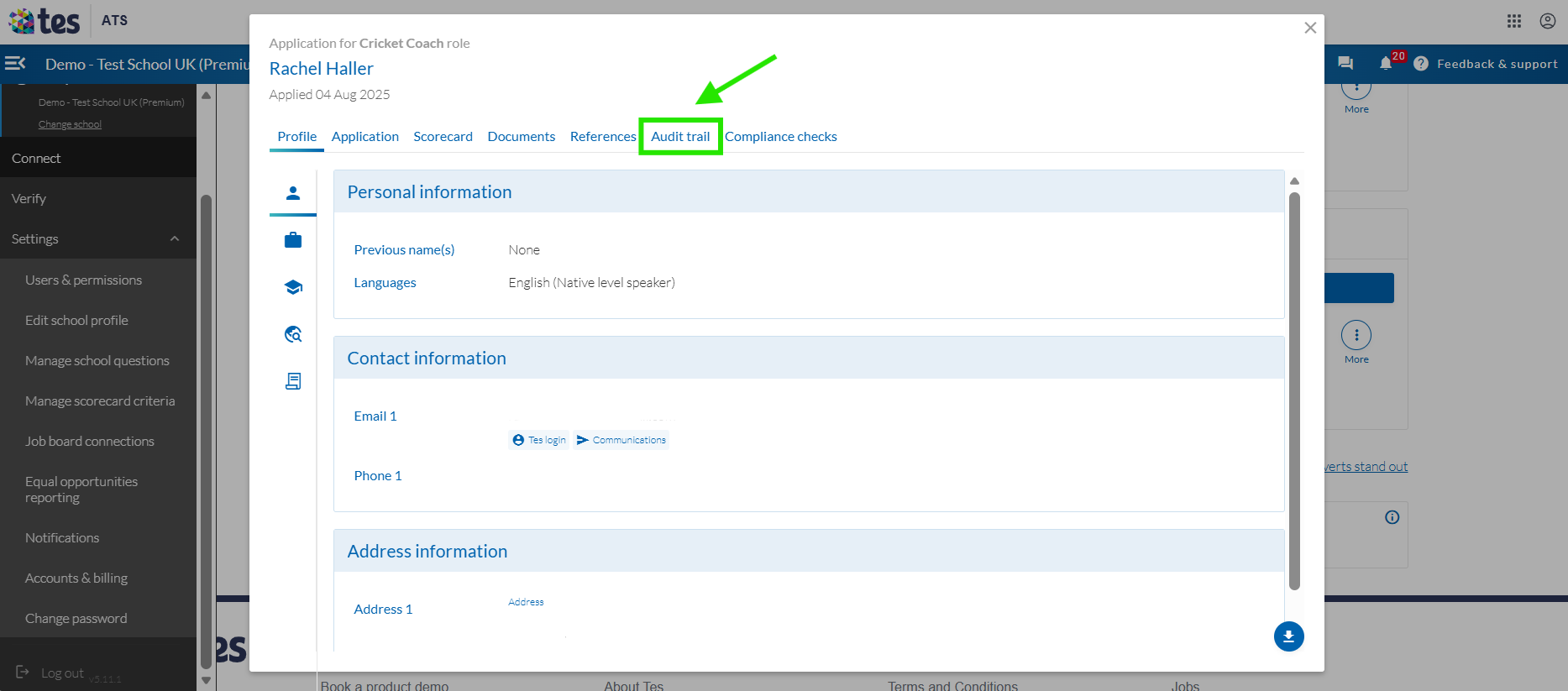
- To view the audit trail, select Audit Trail.
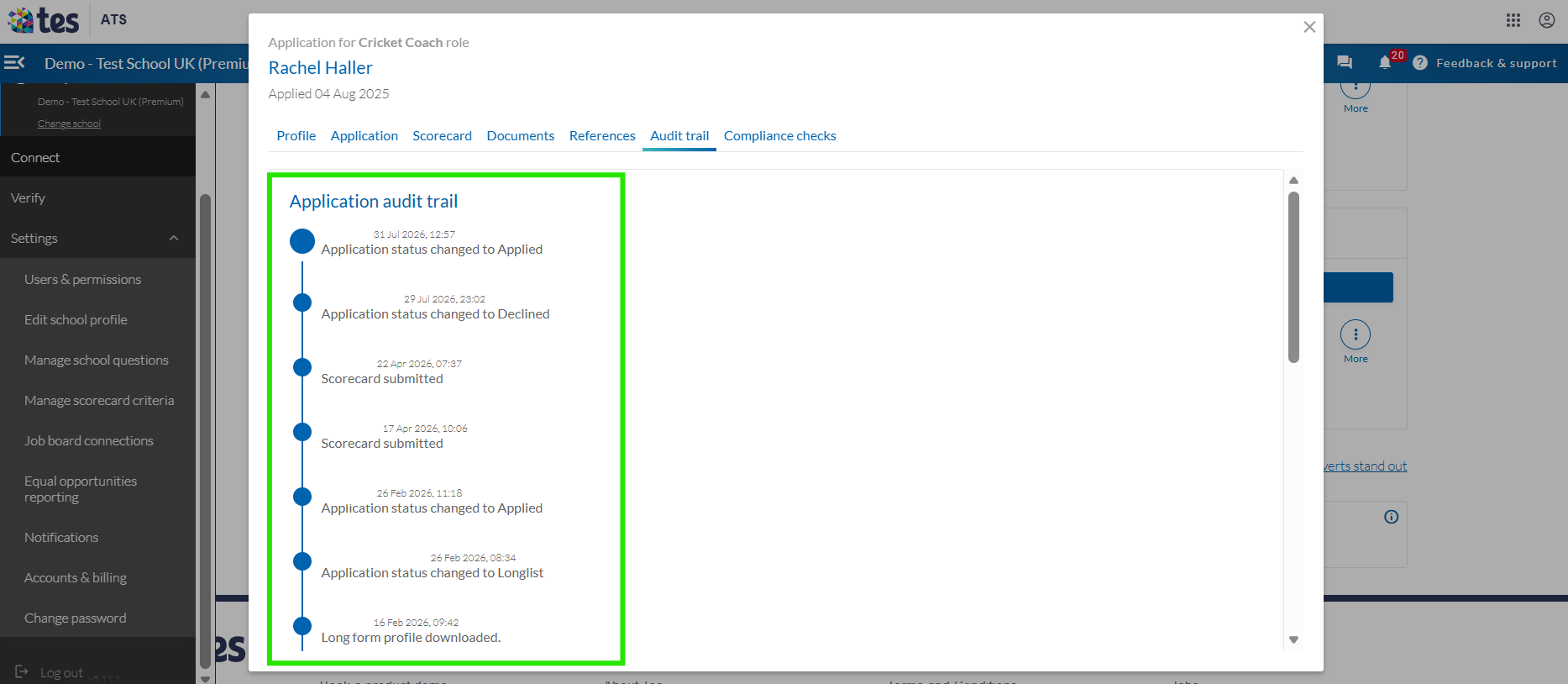
In this panel you can view the audit trail for any actions you or a team member have taken in this application while managing recruitment with the applicant.
This shows a record of:
- who has acted, and
- what dates and time downloads, application status changes and conversations have taken place.
Was this article helpful?
That’s Great!
Thank you for your feedback
Sorry! We couldn't be helpful
Thank you for your feedback
Feedback sent
We appreciate your effort and will try to fix the article