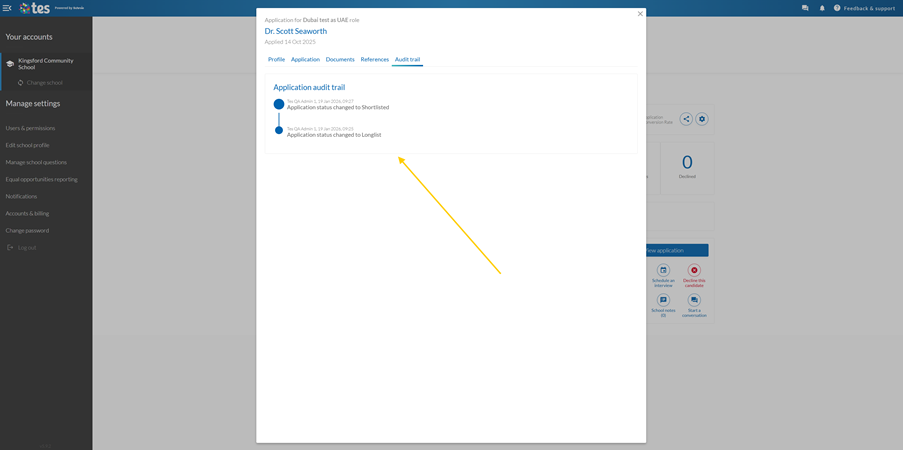
The Application Tracking System (ATS) makes evidencing your compliance and tracking actions against an applicant quick and easy. The audit trail tells you:
- What action has been taken
- When the action was taken
- Which team member took the action
I want to view what actions have been taken against an applicant
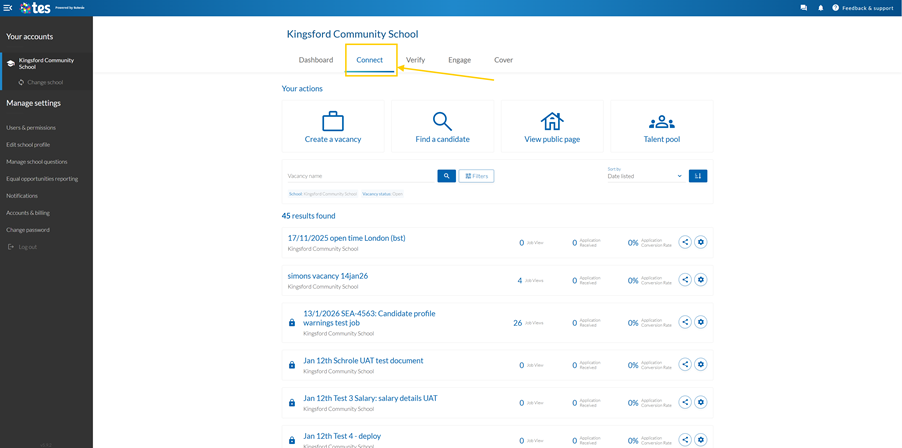
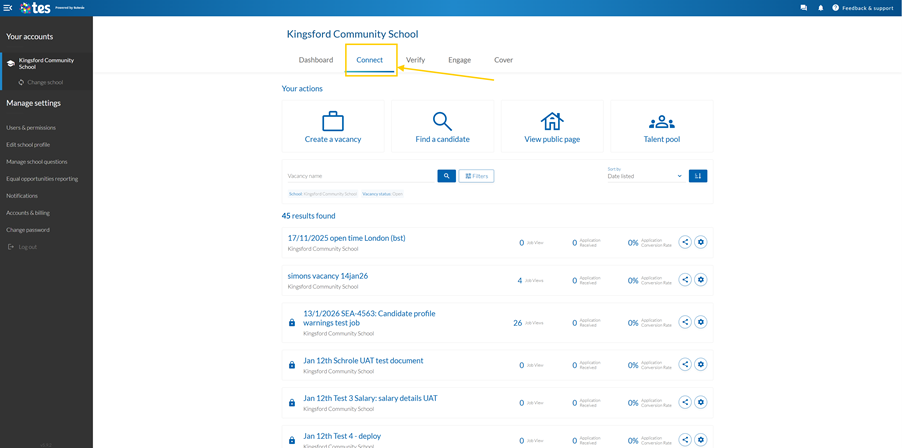
When you’re ready to review your job applications, go to your Connect dashboard and select the vacancy to see your applicants.
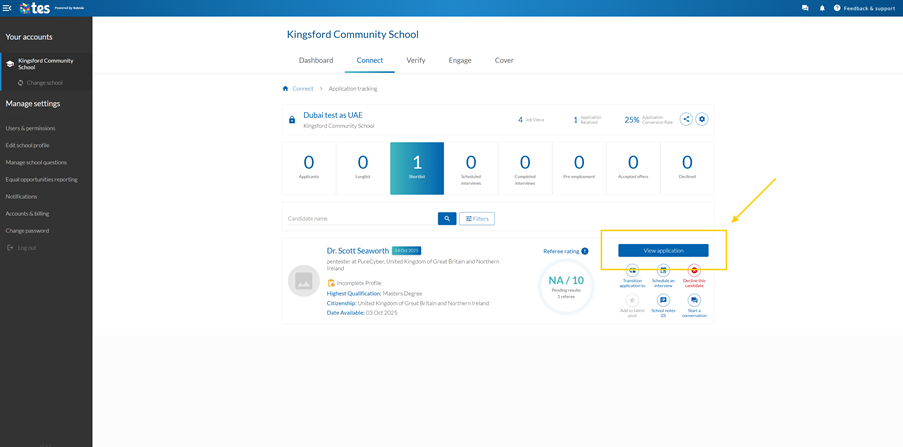
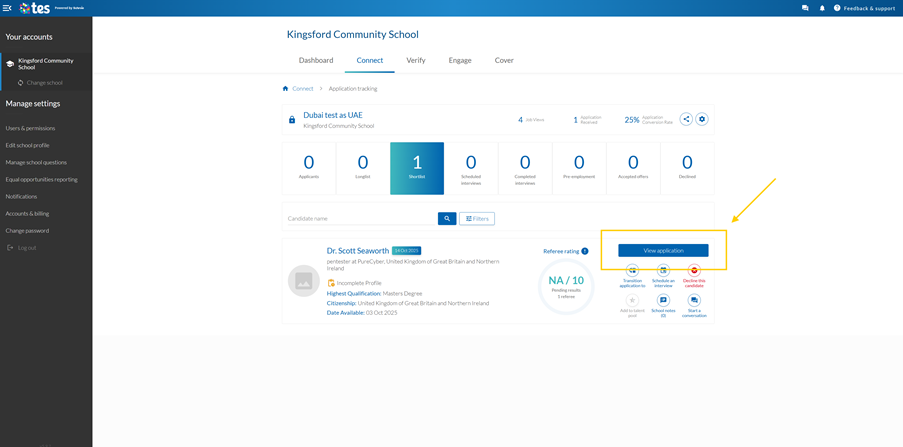
To open an application from within the vacancy, select View application.
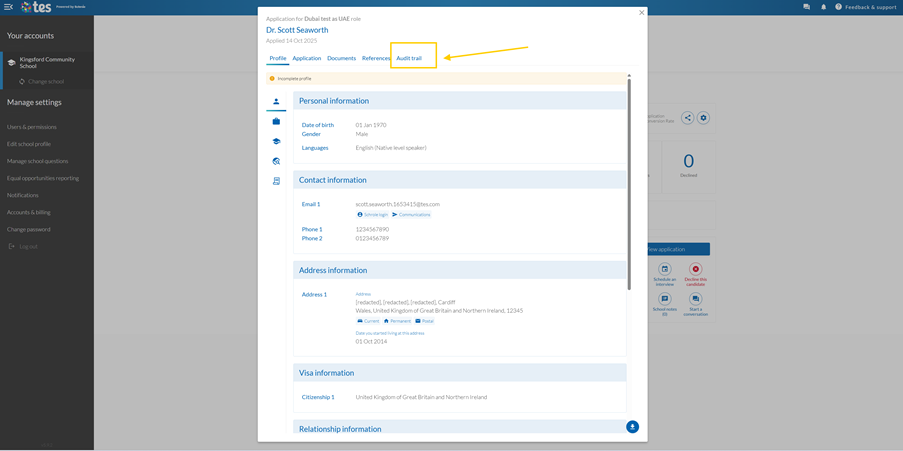
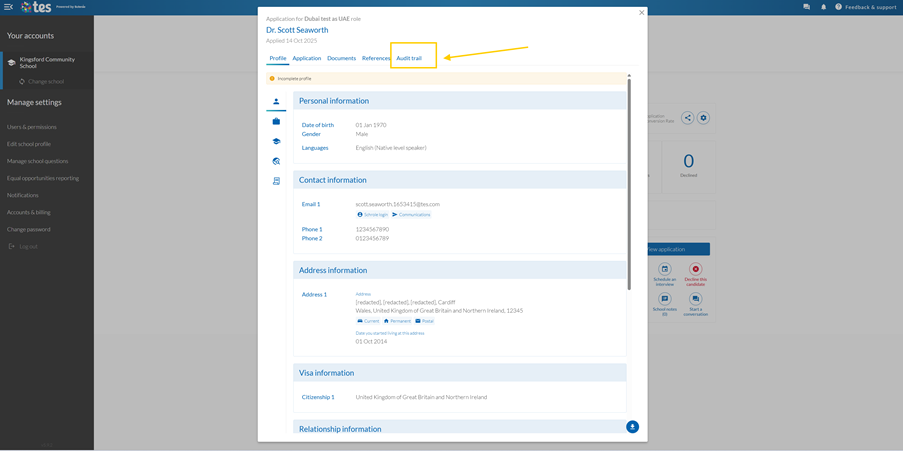
To view the audit trail, select the Audit Trail tab.
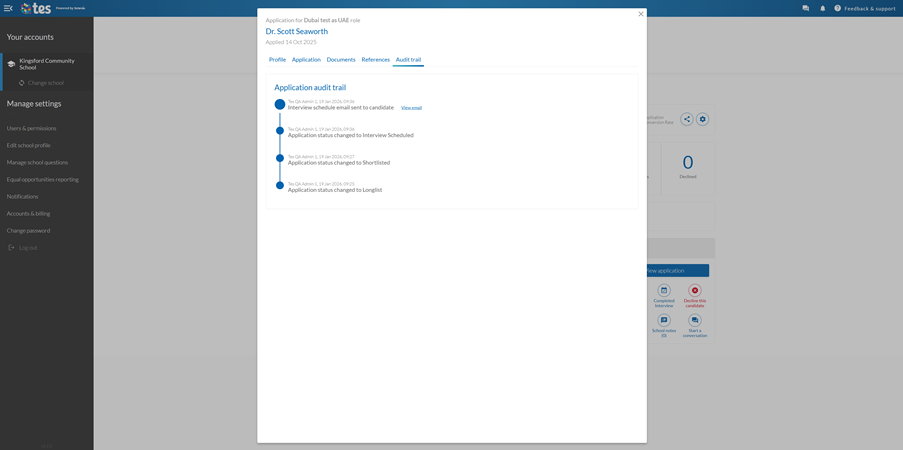
You will be able to view the audit trail in the panel and the corresponding actions that have been taken against the applicant.
I want to view who has worked with an applicant
When you’re ready to review your job applications, go to your Connect dashboard and select the vacancy to see your applicants.
To open an application from within the vacancy, select View application.
To view the audit trail, select the Audit Trail tab.
You will be able to view the audit trail and see which member of your team has taken an action against the applicant including downloads, application stage changes and conversations.
Help and support
Can’t find the answer you’re looking for? We’re here to support you every step of the way.
Help Centre | Contact us |
Our knowledge base has everything you need to know about using Staff Management, including videos, help guides and more.
| Contact us anytime from Mon to Fri, 8:00am-17:00 (UK time).
Call: +44 020 3194 3050 |
Was this article helpful?
That’s Great!
Thank you for your feedback
Sorry! We couldn't be helpful
Thank you for your feedback
Feedback sent
We appreciate your effort and will try to fix the article