This guide will take you through how to use the Action plans feature of Staff Pulse to help you collate ideas from your staff on areas of wellbeing that may need support.
The Action plans feature gives you the opportunity to gather ideas from your staff which you can then use to help build your action plan in a particular category. You can then assess the impact of your action plan and track its effectiveness by asking your staff for feedback and then monitoring and tracking changes.
Please note: this feature is only available on Staff Management Enhanced and Premium subscriptions.
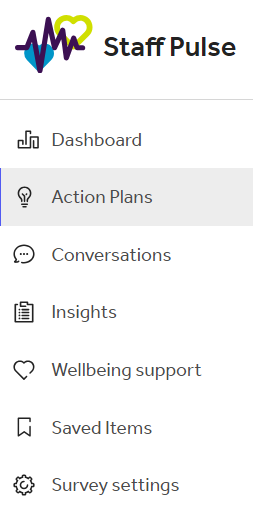
To use this, click into the Staff Pulse tab on the Tes Portal and select Action plans on the left-hand side.
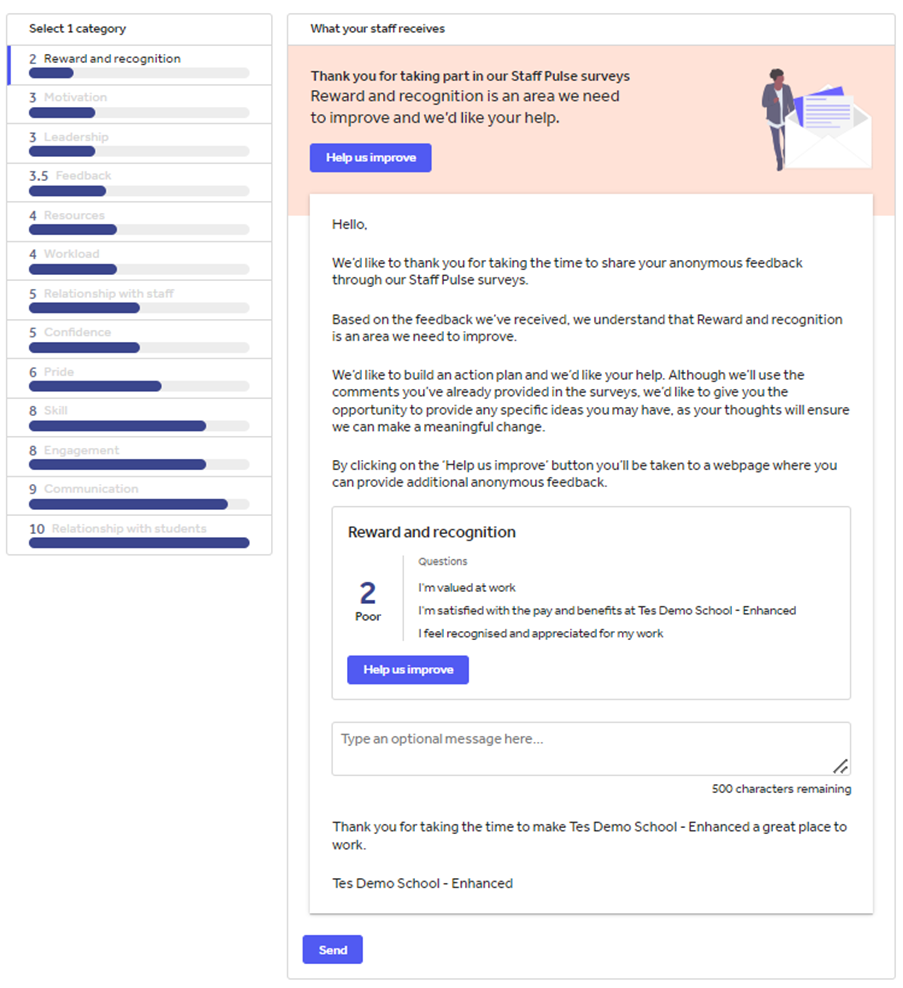
Once in there, click the Create new action plan button. This will bring up the list of categories ranked from the lowest average score at the top to the highest average score at the bottom. Select the category that you want to focus on and an automated email will be created for you. This features what you want to target as a school and what average score you are currently at. It will ask your staff these three questions:
- How can we improve?
- What should we do less of?
- What should we do more of?
When you are ready, click Send at the bottom of the page and this will send to all of the staff receiving your surveys.
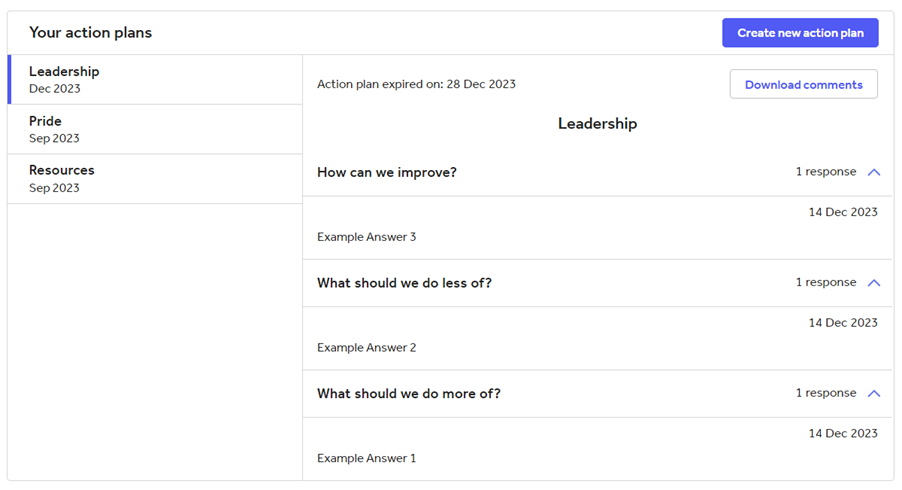
Once this has been sent and you begin receiving some responses, go back to the main Action plans tab and click on your new action plan. You will then see the responses you have collected anonymously, which can be downloaded by clicking Download comments.
Help and support
Can’t find the answer you’re looking for? We’re here to support you every step of the way.
Help Centre | Contact us |
Our knowledge base has everything you need to know about using Staff Management, including videos, help guides and more.
| Contact us anytime from Mon to Fri, 8:00am-17:00 (UK time).
Call: +44 020 3194 3050 |
Was this article helpful?
That’s Great!
Thank you for your feedback
Sorry! We couldn't be helpful
Thank you for your feedback
Feedback sent
We appreciate your effort and will try to fix the article