This guide will take you through the My team area of Develop so you can be an effective and informed admin of the system.
Now that you have logged in, you will want to have a look around and get used to the platform. The best place to start is in the My team area of Develop.
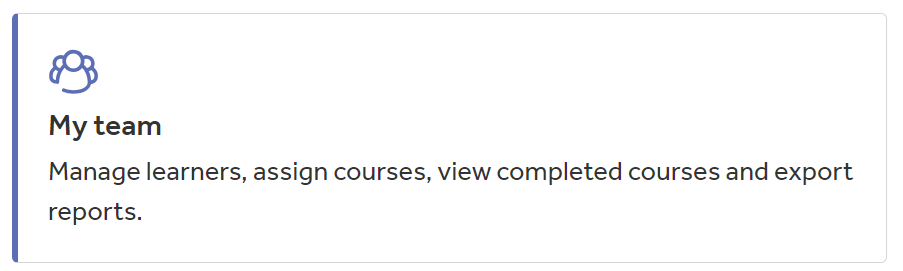
The My team button on the home page of Develop is the main admin area. Only admins of the system can access this. It will allow you to invite your staff to the platform, set your staff courses and report on course completions.
Once you are inside the My team area, you will see two sections; Administration and Reporting.
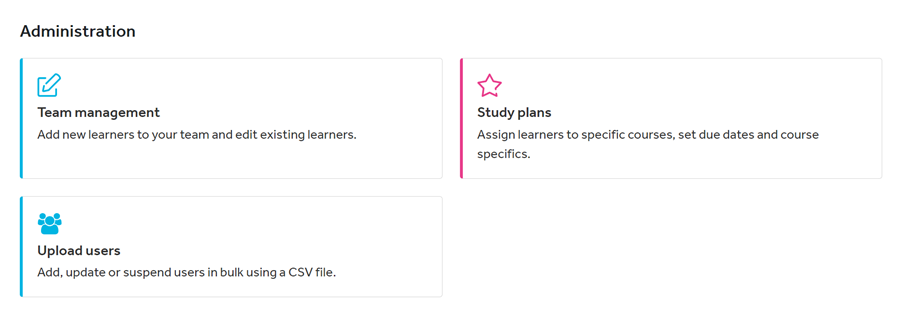
Underneath Administration you will see three other buttons:
- Team management - where you will add individual staff and groups, look at certificates, reset courses and use more admin tools
- Study plans - where you will be assigning courses to your staff
- Upload users - where you will be adding, updating and suspending your staff in bulk
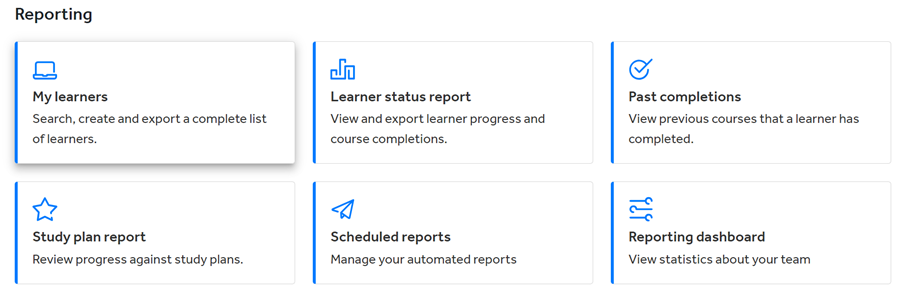
Underneath Reporting you will see six reporting buttons:
- My learners - this will provide you with a list of your staff that have been added to the system and their account details
- Learner status report - this is where you can view and export your staff's progress with courses that have been set or done individually
- Past completions - this report shows you any courses that have been completed in the past before being reset (by an admin) to be completed again. It will also show course completions of expired courses
- Study plan report - relating to the Study plans where you assign courses to your staff, this will help you view progress and completions of mandatory and optional training
- Scheduled reports - using this, you can schedule reports to be emailed to you automatically so you can track progress quickly
- Reporting dashboard - this report gives you some quick statistics on your team in premade graphs which you can export. These look at user logins, course completions, and more
Help and support
Can’t find the answer you’re looking for? We’re here to support you every step of the way.
Help Centre | Contact us |
Our knowledge base has everything you need to know about using Staff Management, including videos, help guides and more.
| Contact us anytime from Mon to Fri, 8:00am-17:00 (UK time).
Call: +44 020 3194 3050 |
Was this article helpful?
That’s Great!
Thank you for your feedback
Sorry! We couldn't be helpful
Thank you for your feedback
Feedback sent
We appreciate your effort and will try to fix the article