This guide will take you through how you can add your staff to receive anonymous wellbeing surveys from the Staff Pulse platform.
Gathering quantitative and qualitative feedback from staff can help schools make more informed, strategic decisions around key categories of wellbeing. Give your school community a voice with your anonymous wellbeing survey platform.
You will be using the Staff Pulse platform to send out your wellbeing surveys to your staff. First, you will need to add your staff.
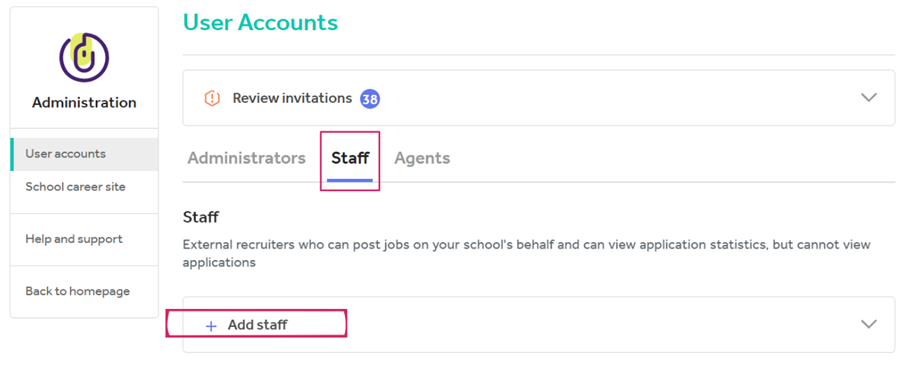
- Click on Manage users in the Administration tab
- Click on the Staff tab and then the Add staff button
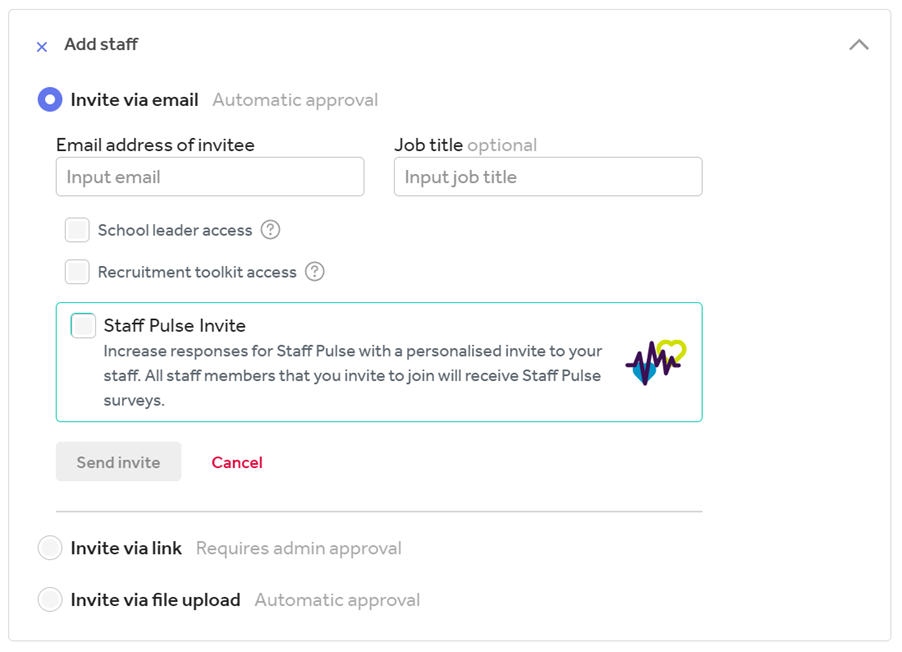
- There are three ways to add staff to Tes Portal (please only use your staff’s work email addresses):
a) To invite an individual via email, simply enter their email address and send an invite.
b) To invite groups via email invitation, select Invite via link and copy and
paste the generated link and send via email to all staff who need access. Please note: if this link isn’t used within 14 days, a new link will need to be generated.
c) To invite via file upload, download the CSV template and add the email
addresses of all staff who need digital access. Upload the CSV file to send
out the invites.
When a staff member clicks on the link, they’ll be asked to log in or to create a free Tes account.
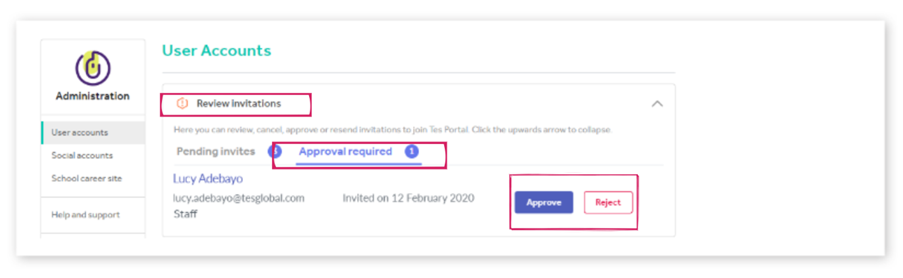
Once they’ve logged in, the administrator will receive an email notifying them that they need to approve their access. The administrator needs to visit Tes Portal, click Manage users on the Administration tile and then choose Approve or Reject on each request beneath the Review invitations section.
To ensure staff invitation emails don’t go to your junk mail, please add
noreply@tes.com to your trusted email addresses.
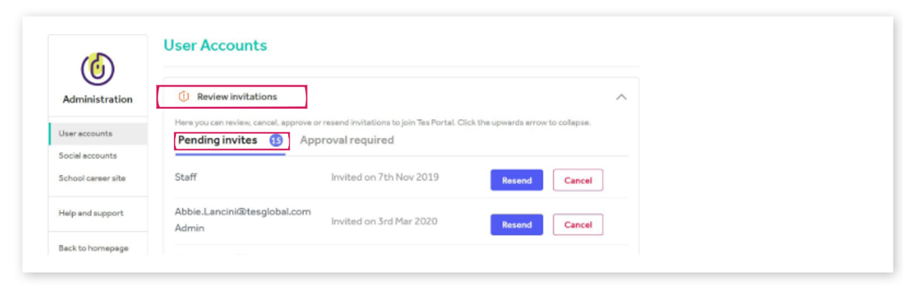
To see which staff haven’t accepted their invitation go to: User accounts > Review invitations > Pending invites.
Please note: If your staff do not set up their account but have still been invited, they will still receive the surveys you send out.
Help and support
Can’t find the answer you’re looking for? We’re here to support you every step of the way.
Help Centre | Contact us |
Our knowledge base has everything you need to know about using Staff Management, including videos, help guides and more.
| Contact us anytime from Mon to Fri, 8:00am-17:00 (UK time).
Call: +44 020 3194 3050 |
Was this article helpful?
That’s Great!
Thank you for your feedback
Sorry! We couldn't be helpful
Thank you for your feedback
Feedback sent
We appreciate your effort and will try to fix the article